★ For parents of 6-16 year olds

Free chore chart printable: build, customize, download

A free, fully customizable chore chart printable generator for kids. Multiple kids, age-appropriate chores, themes, real dates, PDF + PNG + print.

Sprout Saver Team · 7 min read
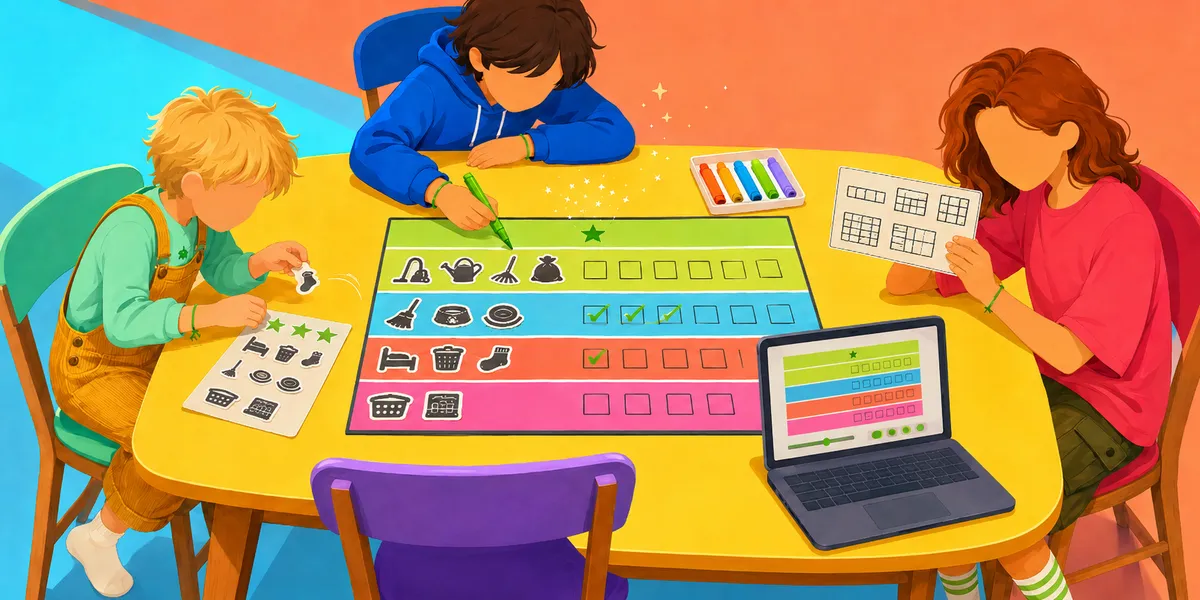
Three faceless kids around a yellow round table working on a colorful printed chore chart together. The youngest in coral overalls holds a sticker sheet of chore icons; the middle kid in a blue hoodie checks off rows of green checkmarks; the oldest in a red shirt holds a printed layout sheet. The chart on the table has four color-coded rainbow rows (green for outdoor, blue for kitchen, orange for bedroom, pink for bathroom) with chore icons and checkbox columns. A laptop on the right shows the matching digital generator, and a tray of markers waits in the back. Bright rainbow palette.
In this guide

★ Key takeaways

  • This free chore chart printable generator builds a custom chart for up to four kids in about two minutes, with five real layout choices, age-matched chores, and your pick of theme.
  • Pick your reward currency (money, stars, or screen-time minutes) and the chart does the math for you.
  • Download as PDF or PNG, print straight from the browser, or copy a URL to share the same chart with a co-parent.
  • Family-contribution chores and paid chores live in separate columns, so the chart teaches the difference at a glance.


If you've ever spent an evening flipping through Pinterest looking for a chore chart that fits your actual family (your kids, their ages, your reward style, this week's dates), you know how quickly the search turns into a graveyard of cute-but-static PDFs. This page is built differently. The generator below builds a real chart for your kids in about two minutes, and you can download it as a PDF, save it as a PNG, print it directly from your browser, or text the URL to your co-parent so you both see the same thing.

Build your free chore chart printable

The generator handles the parts of a chart that the static templates skip:

  1. Five real layout choices. Classic categorized rows, Rainbow Rows with a pastel band per chore, a Daily + Weekly split with a reward callout, Colored Day Columns, or Side-by-Side Kids for multi-kid households. Pick the shape that fits how your family actually uses a chart.
  2. Multiple kids on one page. Up to four, each with their own name, age, avatar, and chore list. One chart on the fridge instead of four.
  3. Age-matched chore suggestions. Each kid's age unlocks a suggested set you can apply with one click, drawn from a catalog of about sixty pre-filled options. Custom chores welcome.
  4. Real dates. You pick a start date and the chart shows actual days (Mon May 12, Tue May 13...), not just generic weekday labels.
  5. Your choice of reward. Money, stars, or screen-time minutes. The chart relabels itself live as you switch.

★ Free generator · Design your chart

Build, customize, download — in 2 minutes

Pick a layout

Pick a theme

Live preview · click anything to edit

Chore
Tue
2
Wed
3
Thu
4
Fri
5
Sat
6
Sun
7
Mon
8
Each
Family contribution
Paid extras
$2
$1
$2
Week of Tue, Jun 2Made with sproutsaver.com

Photo proof, automatic reward payouts, and chore approval — without the laminator.

4kids

Multi-kid, one page

One chart, one fridge magnet, every kid sees themselves.

3formats

PDF, PNG, or print

Pick the format that fits where the chart is going.

A note before you scroll any further: every change you make to the chart above updates the URL in your address bar. Bookmark the page when you're done and the same chart loads when you come back. Text the URL to your partner and they see the same chart on their phone. We didn't add accounts or cloud sync because we didn't want either of those things between you and a printed chart on a Tuesday night.

What makes a chore chart actually work

The honest answer here, before any tool earns the right to be on this page: a chart works when it is visible, repeatable, and matched to what the kid can actually do. That sounds obvious, but each of those three pieces is where most charts quietly fail.

Visible means the chart lives somewhere the kid can see and reach without help. Fridge level, not adult eye level. The point of a chart at this age is the moving of the marker. A chart no one can reach is decoration.

Repeatable means the same routine, the same time, the same place. A chart with twenty chores on Monday and three on Tuesday doesn't teach a rhythm; it teaches that chores are random. Three to five steady items beats fifteen ambitious ones every single week.

Age-matched is the one most parents already sense but don't have a clean way to apply. The CFPB's Building Blocks model frames the school-age years as exactly when financial habits and norms get set, but the model is structured around capabilities, not chore lists. A six-year-old who can follow a two-step instruction can drop clothes in a hamper. A ten-year-old who can carry a glass without spilling can clear the table and load the dishwasher. The generator's age-suggested button picks from the matching capability tier so you start with a list that will actually click rather than one that frustrates everyone by Thursday.

One chart for multiple kids, without the chaos

A lot of parents land on a fork here, and we hear from both sides regularly. Should you make one chart that lives on the fridge with everyone on it, or one chart per kid pinned to each bedroom door?

Our honest take, based on what we see work: one chart, on the fridge, with a clear section per kid. Three reasons.

First, the kids see themselves on the same page, which sounds small but matters a lot when you have a competitive five-year-old who notices everything the eight-year-old does. A single chart visually says "we're a family doing this together," which is also exactly what the family-contribution column is teaching. Two separate charts subtly say "you each have your own thing."

Second, you only have to walk to one place. We say this with love: the chart that lives on a bedroom door is the chart that gets forgotten. The fridge wins on visibility every time, and the generator's per-kid section design means a single 8.5-by-11 sheet can comfortably hold three or four kids worth of chores without feeling cramped.

Third, it scales as the kids grow. The companion guide on chores for 10-year-olds walks through what the older end of this chart looks like; the chart you make today for your six-year-old will share a page with a very different list for your ten-year-old a few years from now, and the kids notice that progression. The chart becomes a quiet timeline of their own growing-up.

That said, there is one case where two charts wins: very different schedules. If one kid is in afternoon kindergarten and another is in middle school with band practice three nights a week, the days you'd show on each kid's chart might genuinely not overlap. The generator lets you pick weekdays-only, weekends-only, or every day for the whole chart, but if the right answer is two charts on two different cadences, that is a fine call to make.

Family-contribution chores vs paid chores

This is the question we get asked most often when we show parents the generator, and we totally understand why. The parenting internet is split in a way that makes it feel like you're choosing a tribe. So here's our honest take, with the reasoning attached so you can decide whether it fits your family.

Our argument, made more fully in the should kids get paid for chores post, is that a hybrid system works better than either extreme. Some chores are paid, most chores are not, and the chart visually separates the two so the lesson is built into the layout instead of having to be re-explained every week.

The generator does this with two columns. The "Family contribution" column carries the chores that are part of living in the house: making the bed, putting socks in the hamper, clearing your plate, helping with the table. These never have a dollar amount next to them. The "Paid extras" column carries the above-baseline tasks: emptying the dishwasher, walking the dog all week, washing the car. Those carry a small reward amount that you set per chore.

Why this matters in the layout, not just in your head: a kid scanning the chart sees the two sections side by side. The family-contribution chores never pay anything; the paid extras always do. Over a few months, that visual pattern teaches what a thousand sit-down conversations couldn't. The chart becomes the explanation.

The other thing worth flagging: if your kid is six or seven, our honest suggestion is to keep the chart fully unpaid for now. The companion piece on chores for 6-year-olds walks through why payment at that age tends to backfire. The generator supports a fully unpaid chart. Just leave the paid-extras column empty and choose family-contribution chores only.

Lessons your kid can run alongside the chart

If you'd like a little outside help on the chore-and-earning conversation, three of the lessons in our Sprout Saver catalog map cleanly onto what's happening on the chart. Different ages, different framings, same underlying loop.

When the paper chart starts to feel like it has outgrown your kitchen (usually around the point where you wish you had a photo to confirm the chore actually got done, or you want the reward to land in their account automatically), the Sprout Saver Chore Management feature is the natural next step. Photo proof on submission, a parent approval flow before the reward pays out, and the same chore-by-chore structure the chart already has. The /chore-ideas-for-kids-by-age#ages-6-9 section of the companion guide has the broader age-banded chore lists if you want a deeper look before you pick what goes on the chart.

Things parents ask us about the chart generator

Yes, completely. No account, no email, no watermark on the download. We make Sprout Saver, the app, and we built this generator because the chart is the natural starting point. If it works for your family and you want photo proof, automatic reward payouts, and a parent approval flow, the app is where that lives. But the printable side stays free.

Ready?

Loved the printable? Watch it run itself.

Same chart, same kids — but Sprout Saver auto-tracks completions, holds the photo-proof, and routes the rewards. No Sunday-night refresh required.

Get Started Free

More to read